Meeting translation
Speak your language.
Hear the meeting in yours.
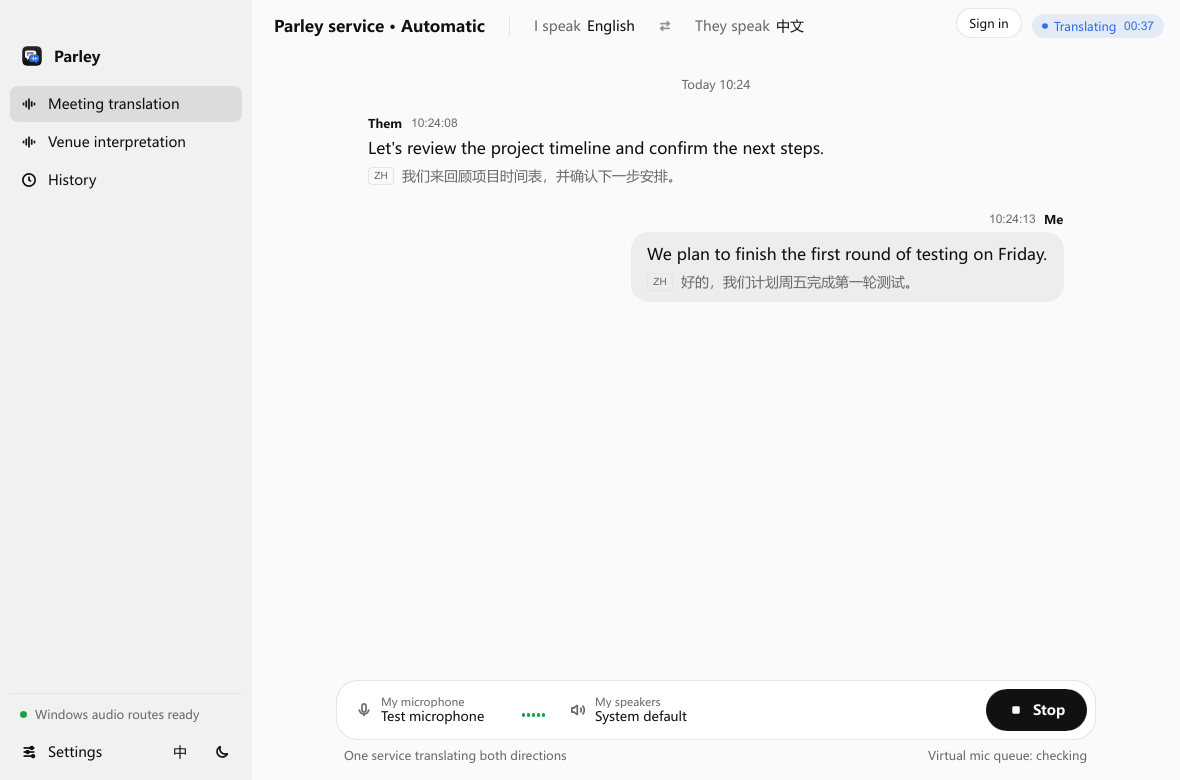
Live meeting translation on your Windows or Mac desktop. Parley translates your microphone into the other person’s language and their meeting audio into yours, with original and translated captions together.
Two audio directions. One conversation.
When you speak
Your microphone → cloud translation → translated voice → the meeting’s virtual microphone.
When you listen
Meeting audio → cloud translation → translated voice → your physical headphones.
You can follow the original words and translation in the same desktop window. After the session, review local caption history or export an SRT subtitle file.
For client calls and international teamwork
Use Parley when you need to contribute to a conversation as well as understand it: a customer explaining a requirement, a supplier discussing a delivery, or teammates planning the next release. The person on the other side hears the translated voice through the meeting’s normal audio path.
Parley connects through audio devices. It does not require everyone in the meeting to create a Parley account. Your meeting application must let you choose a suitable microphone and audio source; setup depends on your operating system.
How to set up meeting translation
- Prepare your app and account. Check the desktop preview requirements, sign in and select managed translation or your licensed personal API.
- Choose languages and a built-in voice. Confirm the pair is available in your installed app, selected model and mode. Provider language coverage is not the same as validated app support.
- Route the meeting audio. On macOS, select ParleyVirtualMic as the meeting microphone and ParleyMeetingBus as its speaker. In Parley, select your physical microphone and headphones. On Windows, select the meeting capture source and a suitable virtual audio cable for outgoing translated voice.
- Check both directions before the call. Start a short session and check what you hear and what the other person receives. Stop the session when you finish.
Pay for the streams you use
Managed translation needs no personal API key and has no recurring Parley subscription. Speaking and listening are billed separately. A 30-minute call with both streams active uses 60 stream-minutes; a single active direction for 30 minutes uses 30.
Prefer your own provider account? A one-time personal API licence unlocks supported provider configuration. Provider usage remains a separate charge. Use the live cost estimator to see the managed-service cost for your scenario.
What to check before relying on a live translation
Cloud translation requires an internet connection. Language availability, translated voice quality and delay depend on the provider, model, audio and network. Confirm important names, numbers and commitments with the other person. This development preview does not promise a particular accuracy or delay.
Selected capture audio is processed by your chosen cloud service; caption history stays locally in the app. See how audio and account data are handled.
Have a meeting in mind?
Check your setup, then choose the billing option that fits how often you meet.
Check desktop setup → Compare pricing →